Checkout that keeps up with the queue
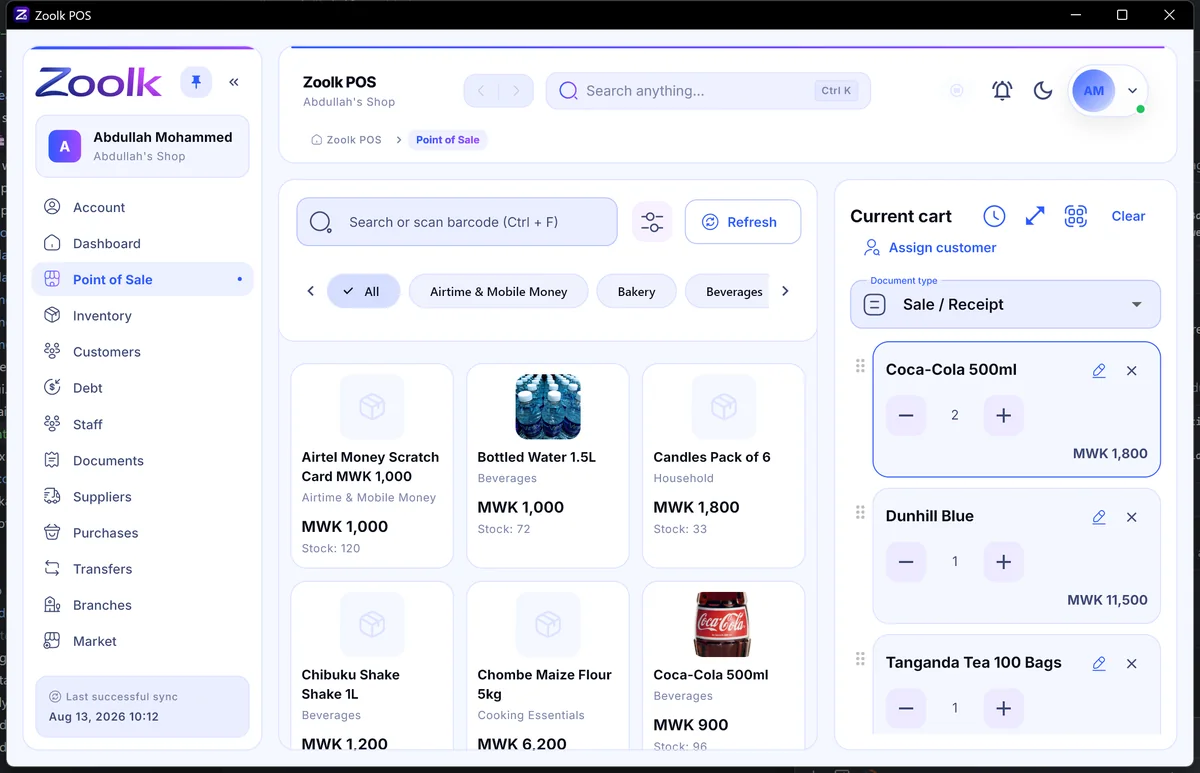
Scan or search, tap to add, take payment, print the receipt. Built touch-first for busy counters.
CtrlF search or scan barcode
Checkout, inventory, branches, staff, and billing in a single point-of-sale app — one that keeps selling when the connection doesn't.
Built on the payment and hardware infrastructure businesses already trust
Everything in one place
Most POS software stops at checkout. Zoolk covers what happens before and after the sale too — and it all shares the same data.
Scan or search, tap to add, take payment, print the receipt. Built touch-first for busy counters.
CtrlF search or scan barcode
Sales, receipts, and stock updates work with no signal and sync on reconnect.
Stock, sales, and staff for each location — in real time, not last week's spreadsheet.
Roles decide who can discount, void, or see reports. Every action is logged to a person.
Low-stock alerts, lot tracking, and warehouse transfers keep the shelf honest.
Let regulars run a tab and always know exactly who owes what — no notebook required.
Top up your Zoolk wallet with mobile money from inside the app. Every charge and payment is a ledger entry you can see.
See it for real
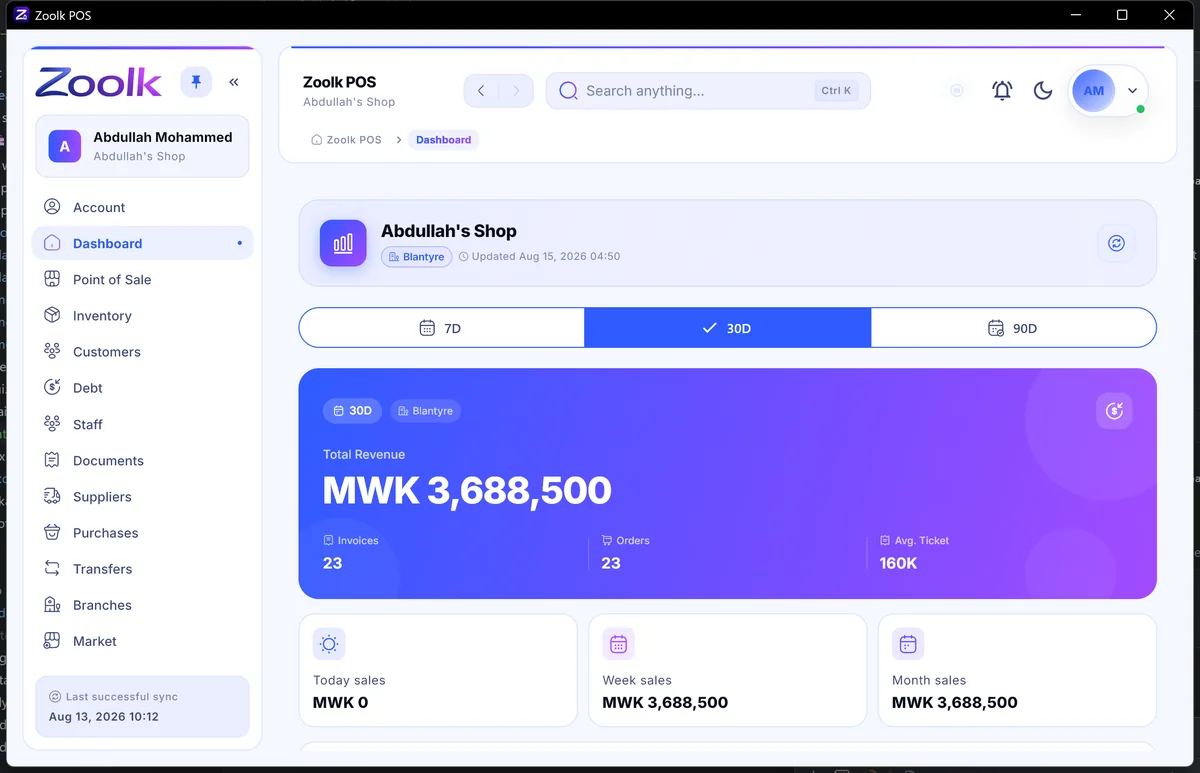
Screens straight from Zoolk POS on Windows. The same account works on Android.
Offline-first
Zoolk keeps products, customers, and recent activity on the device itself. Checkout never waits on a server — and nothing needs a "reconnect and pray" step.
How offline sync worksThe till keeps working. Nothing on screen changes for the cashier.
Receipt prints, stock count updates, the customer's tab reflects it.
Zoolk pushes what changed here and pulls what changed at other branches.
One consistent picture of the business — automatically.
Solutions
Know what's on the shelf without walking the floor.
Learn moreFast checkout, honest tabs, and stock that doesn't vanish.
Learn moreAccurate stock and a checkout you can trust.
Learn moreBig catalogs, wholesale customers, and stock moving between sites.
Learn moreQuick checkout for products, and a record of every customer.
Learn moreGetting started
Business name and your first branch. About two minutes, no card required.
Type them in or bring your existing list, set prices, connect a scanner.
Ring up sales, print receipts, and watch stock and reports update live.
Pricing
Every plan includes the full product. Plans differ only by how many branches you run — and every one starts with 30 days free.
Showing Malawi pricing. See pricing for your country →
Yes. Checkout, receipt printing, and stock updates all work offline. Everything is saved on the device and syncs automatically once you're back online.
Zoolk POS runs on Windows and Android today, with iOS in development. Your account and data are the same on every device.
You top up your Zoolk wallet with mobile money — Airtel Money or TNM Mpamba in Malawi — right from the app. Every charge and payment shows up on your wallet ledger.
Yes — every plan includes at least one branch, and extra branches are billed at a simple per-branch rate.
30 days free. No credit card required. Cancel anytime.
We only use essential cookies. Cookie policy